How Caelo works

Caelo checks your real horizon against tonight's forecast, then tells you plainly what you can actually shoot.
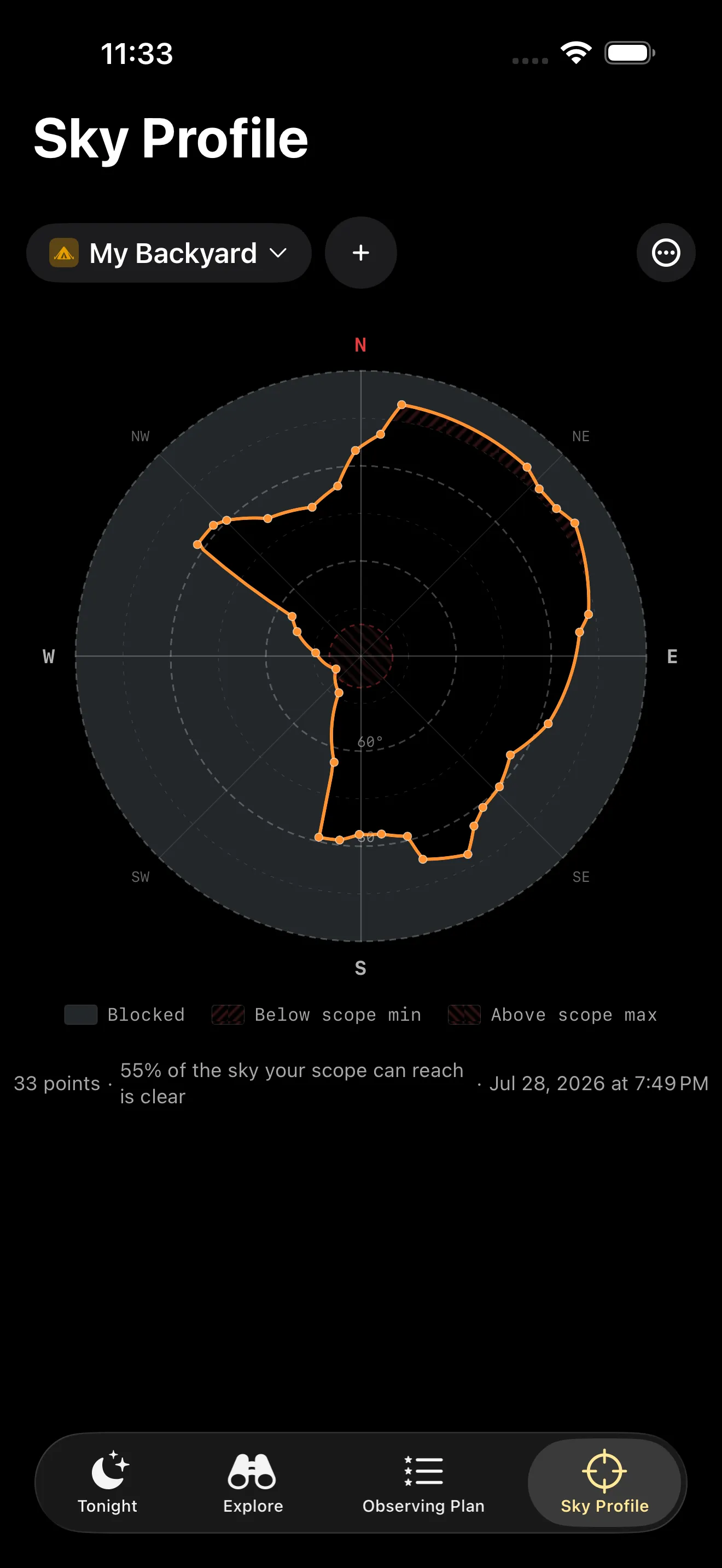
Caelo's Sky Profile screen for a backyard named My Backyard. A polar plot shows the captured horizon as an orange outline, open widest to the north-east and east and blocked hardest to the west and south-west, with a legend for Blocked, Below scope min and Above scope max. A caption gives the number of points captured and the share of the sky your scope can reach that is unobstructed.

Your sky, not the textbook one

You map your real horizon once, fences, roofs and trees included, and Caelo reuses it every night. It also knows what your telescope can reach, so it only counts the sky you can actually point at.
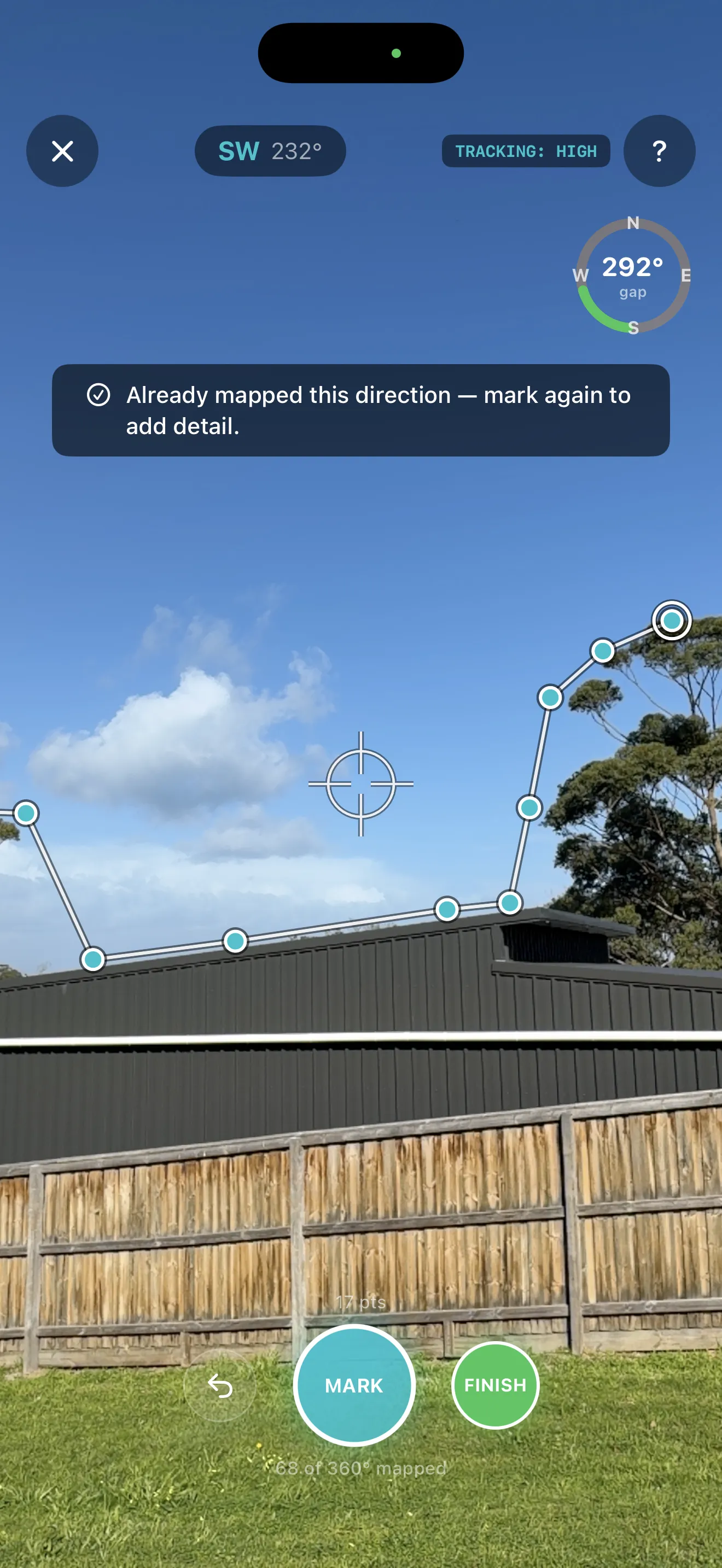
Sky Profile capture screen mid-capture: a white line traces a shed roofline and tree canopy, with teal points already marked, a crosshair marks where the phone is aimed now, a compass heading and 'TRACKING: HIGH' badge sit at top, a readout shows how many of 360 degrees are mapped, and a dark banner reads 'Already mapped this direction — mark again to add detail.'

Map your backyard, not the whole sky

Stand in one spot and turn slowly with your phone up, aim at the roofline or tree branch, and tap to mark each point as you go. Caelo tells you if you're re-covering ground you've already marked.
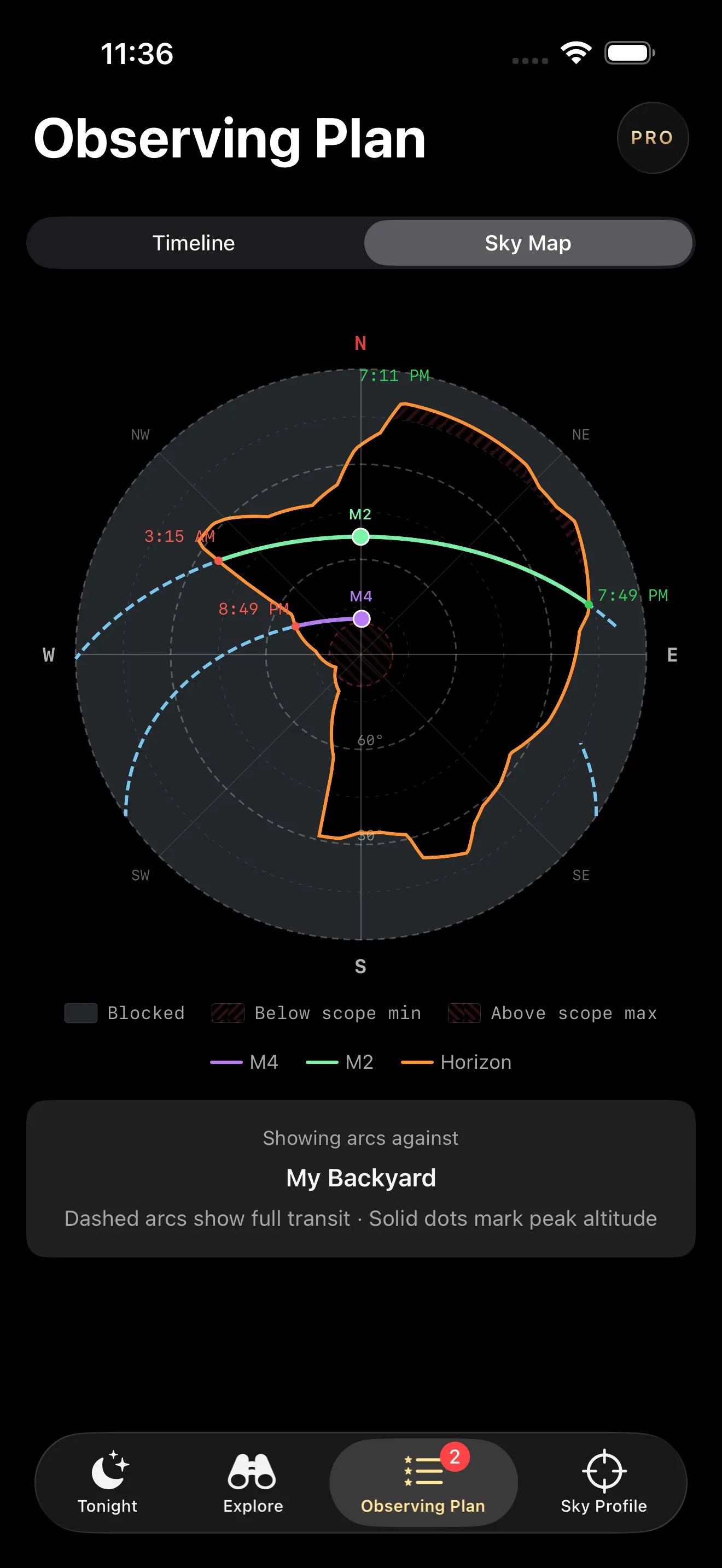
Caelo's Observing Plan sky map for an example night at My Backyard. Two coloured arcs, labelled M2 and M4, trace across a polar plot of the captured horizon, with solid dots marking each target's peak altitude and times where the arcs cross the horizon line. A legend below reads: Showing arcs against My Backyard. Dashed arcs show full transit · Solid dots mark peak altitude.Pro

Your night, in order

Observing Plan draws each target's path across your real sky, and marks where your horizon or your telescope's limits end it. Every arc, dot and time here is geometry, not a promise. Observing Plan is part of Caelo Pro.
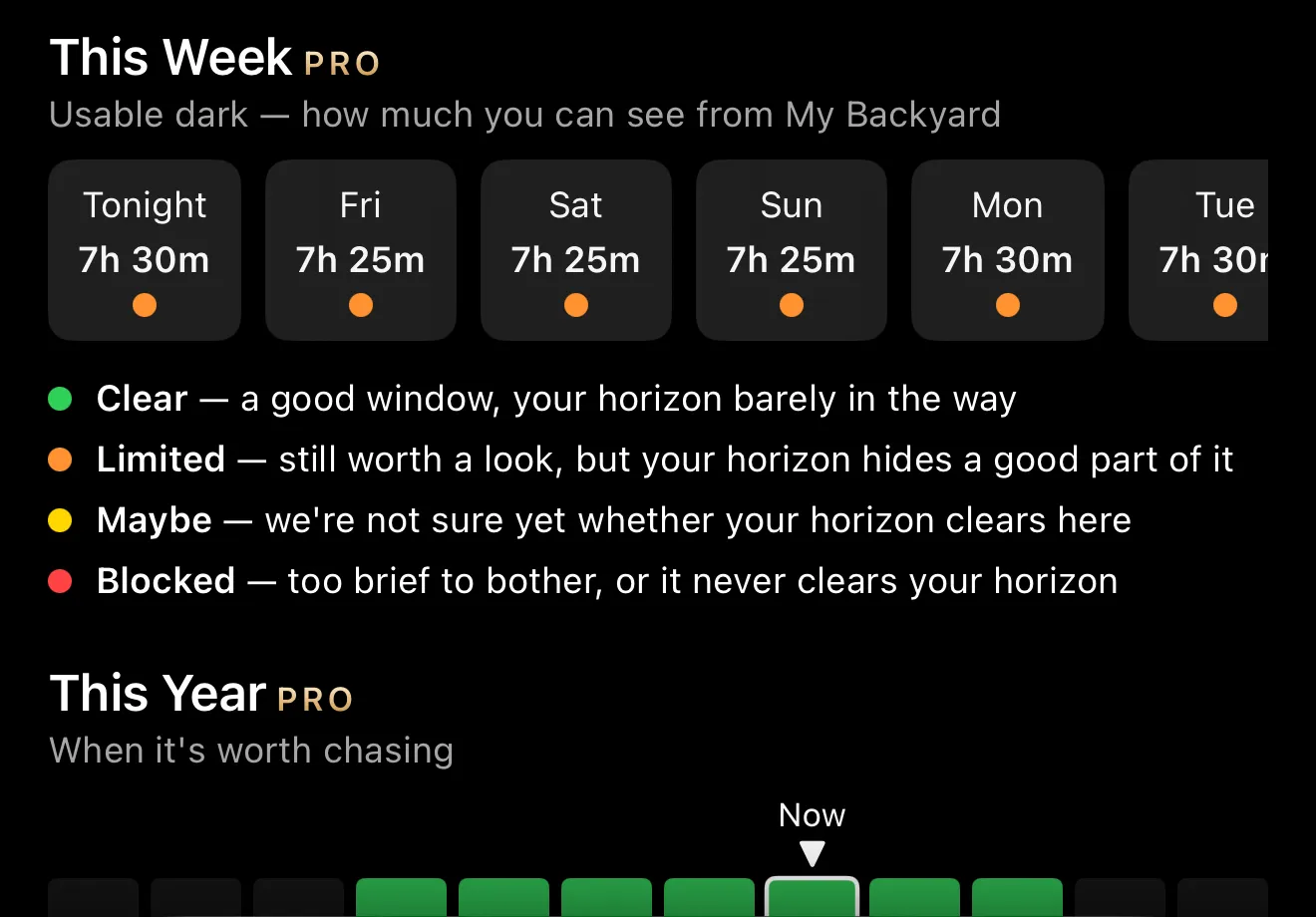
Caelo's Object Detail screen, cropped to the This Week strip and This Year bar, for one example object at an example backyard. This Week shows six days of usable dark hours, each with a coloured dot, above a legend: Clear, Limited, Maybe, Blocked. Below, This Year shows a bar for each month, some dark and some lit, with a Now marker above the current month.Pro

Worth chasing all year? Not every month.

Every object gets a This Week and a This Year view: how much dark your real horizon leaves it, night by night and month by month. The hours here are one example object at an example backyard. Both views are geometry, not a forecast.
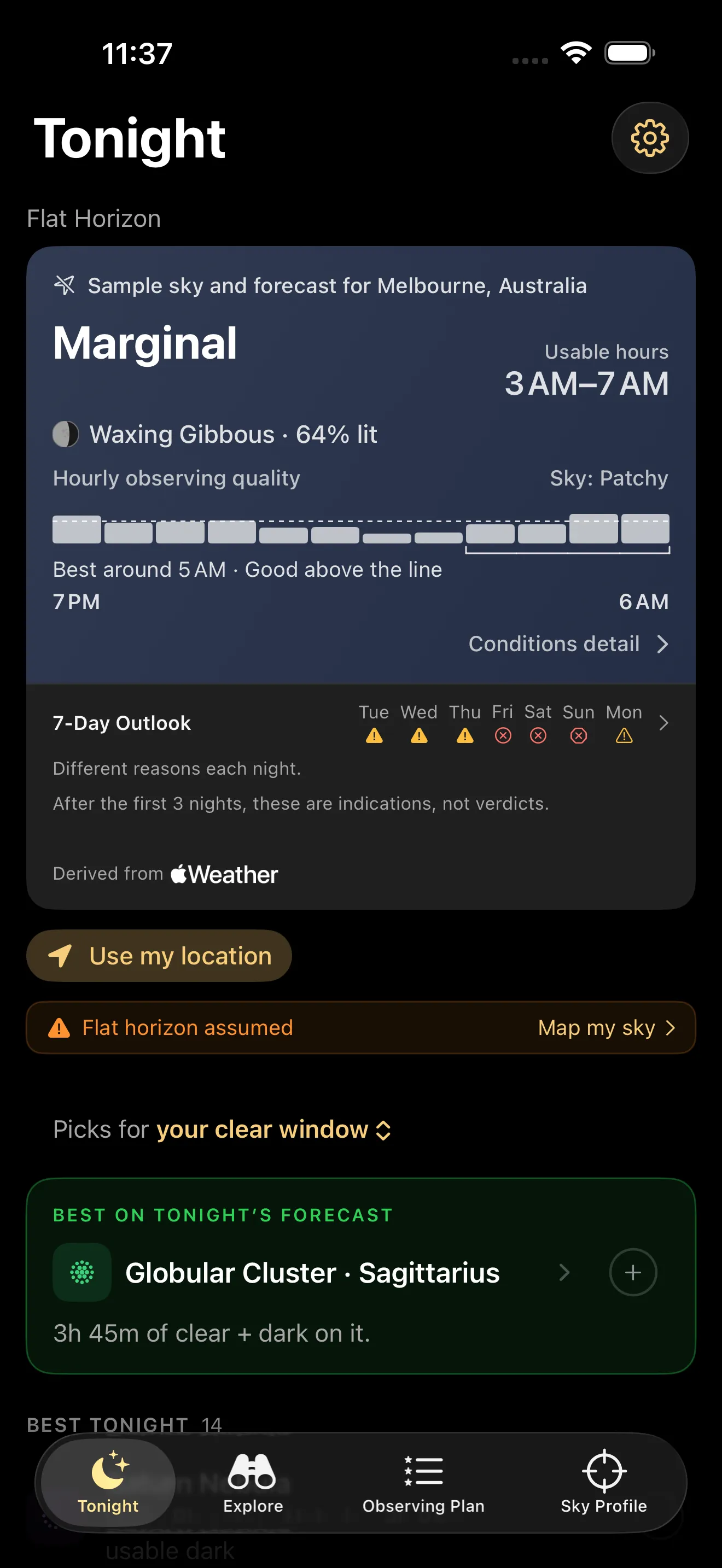
Caelo's Tonight card on an example night with sample sky and forecast for Melbourne, Australia. The verdict reads Marginal, with usable hours 3 AM to 7 AM, a waxing gibbous moon 64% lit, and Sky: Patchy above a row of hourly quality bars. Below, a 7-Day Outlook shows one icon per day, and a credit line reads Derived from Apple Weather.

The sky in words first

Caelo turns the forecast into a verdict and a sky word, Patchy here, and shows which hours are still worth using. The forecast comes from Apple Weather. The verdict and the sky word are Caelo's own scoring of it. This is an example night, not a promise about yours.

Watch it in action

A walk round a real backyard, marking a real horizon — the fastest way to see what Caelo actually does.